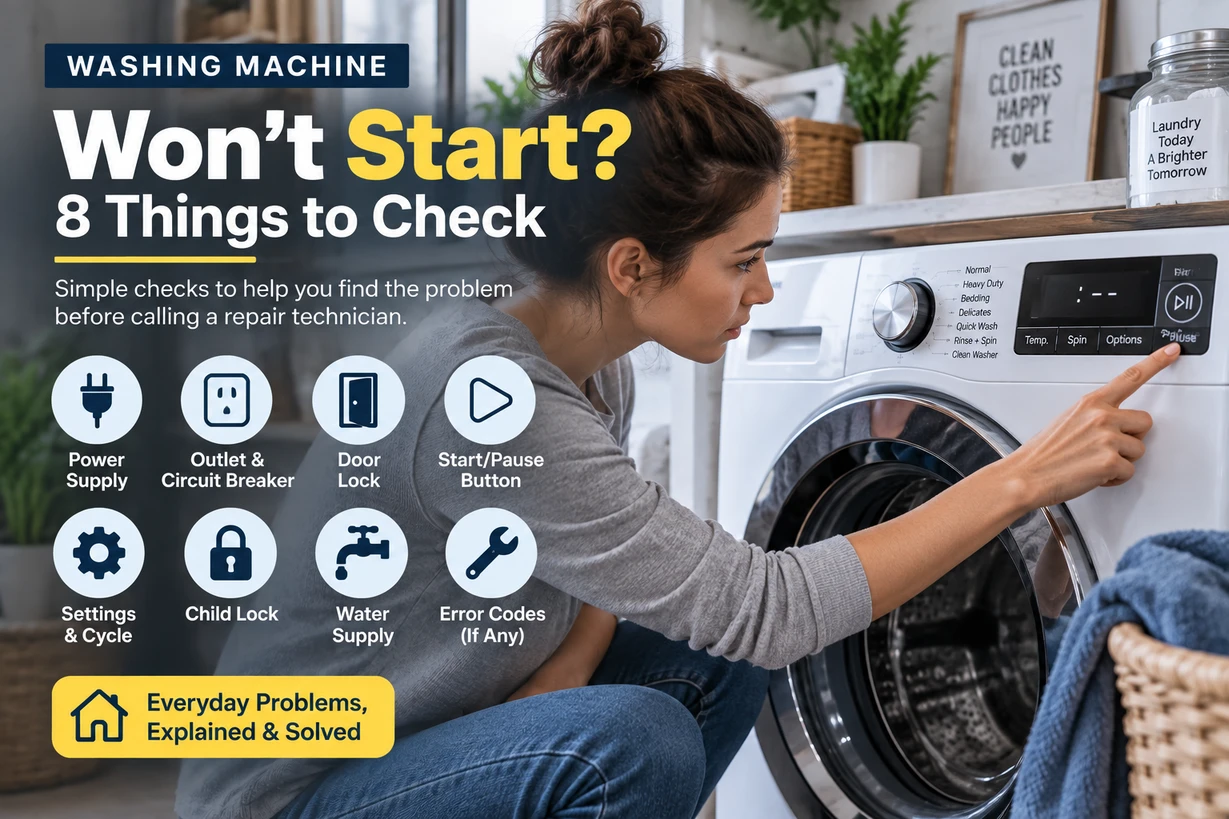
You press the Start button, but nothing happens.
Maybe the display is on but the washer won’t begin the cycle. Maybe the controls appear completely dead. Or perhaps the washer starts for a moment and then stops.
Before assuming that the washing machine needs a major repair, there are several simple things you can check.
The exact controls and reset procedures vary between brands and models, so always follow your owner’s manual when it gives model-specific instructions.
Why Won’t My Washing Machine Start?
If your washing machine won’t start, check these things first:
- Make sure the washer has power.
- Check whether Control Lock is enabled.
- Make sure the door or lid is completely closed.
- Make sure you’ve selected a wash cycle.
- Press and hold the Start button if your model requires it.
- Look for an error code.
- Try the manufacturer’s recommended reset procedure.
- Check whether the washer starts after correcting the problem.
If none of these steps work, the washer may have an electrical, control, door-lock, lid-lock, or other internal problem that requires professional diagnosis.
Safety First
Before inspecting anything beyond the normal controls, think about safety.
Do not open electrical components or remove panels unless you’re qualified to do so and the manufacturer’s instructions specifically allow it.
If you notice:
- A burning smell
- Smoke
- Sparks
- Damaged power cords
- Water around electrical connections
stop using the washer and disconnect it from power if you can do so safely.
For anything beyond basic troubleshooting, professional service is the safer option.
1. Check Whether the Washing Machine Has Power
Start with the simplest possibility: power.
If the display and controls are completely blank, check whether the washer is properly connected to its power source.
Make sure:
- The power cord is firmly connected.
- The outlet is supplying power.
- A circuit breaker hasn’t tripped.
- A fuse hasn’t blown, where applicable.
If the washer suddenly stopped working during a cycle, check the electrical panel before assuming the washer itself has failed.
You can also check whether another appliance works from the same outlet, but don’t use an extension cord unless your manufacturer’s instructions specifically permit it.
2. Check the Control Lock
Some washing machines have a Control Lock or similar feature designed to prevent accidental button presses.
When this feature is enabled, pressing Start or other controls may appear to do nothing.
Look at the display for a lock symbol or a message indicating that the controls are locked.
The method for turning Control Lock off varies by model. Some machines require pressing and holding a particular button for several seconds.
Check your owner’s manual for the exact procedure.
This is an easy thing to overlook, especially if the washer was working normally before someone accidentally activated the lock.
3. Make Sure the Door or Lid Is Fully Closed
A washing machine generally won’t begin a cycle unless it detects that the door or lid is properly closed.
For a front-load washer, check that:
- No clothing is caught between the door and the seal.
- The door is fully closed.
- Nothing is preventing the door from locking.
For a top-load washer, make sure the lid is completely closed.
A washer may appear ready to run but refuse to start if its door or lid isn’t detected as closed.
Don’t force the door or lid shut.
If it won’t close normally, look for an obvious obstruction first.
4. Make Sure You’ve Selected a Wash Cycle
It sounds obvious, but it’s worth checking.
Make sure you’ve actually selected the desired wash cycle and that the washer isn’t sitting in a paused or incomplete selection state.
Depending on the model, you may need to:
- Turn the washer on.
- Select a cycle.
- Adjust available settings.
- Press Start.
Some machines may also remember settings from a previous cycle, so check the display before starting.
5. Press and Hold the Start Button
Some washing machines don’t begin immediately with a quick tap of the Start button.
Certain models require you to press and hold Start for a few seconds.
If you press the button briefly and nothing happens, check your owner’s manual to see whether your model uses a press-and-hold operation.
Don’t repeatedly press every button on the control panel.
Instead, follow the normal starting procedure for your specific model.
6. Check for an Error Code
If the washer’s display is working, look for an error code or warning message.
An error code can help identify what the machine has detected.
For example, the problem may involve:
- The door or lid
- Water supply
- Drainage
- Load balance
- Controls
- Another operating condition
Don’t assume an error code has the same meaning across different brands.
Search for the exact code in the owner’s manual or the manufacturer’s support documentation for your model.
The model number matters because troubleshooting procedures can differ significantly between machines.
7. Try a Reset
A reset can sometimes resolve a temporary control or operating issue.
However, there isn’t one universal reset procedure for every washing machine.
Some manufacturers recommend disconnecting the washer from power for a specified period before reconnecting it.
For example, certain Whirlpool troubleshooting instructions recommend unplugging the washer for several minutes as part of the troubleshooting process.
Your model’s instructions should take priority.
If the manufacturer’s manual recommends a specific reset procedure, follow that rather than using a generic reset method found online.
After reconnecting the washer, select a cycle and see whether it starts normally.
8. Check What Happened Before the Problem Started
Think about what happened immediately before the washer stopped starting.
Did you recently:
- Move the washer?
- Experience a power outage?
- Clean the machine?
- Wash an unusually large load?
- See an error code?
- Hear an unusual noise?
- Notice water leaking?
- Have a previous cycle stop unexpectedly?
This information can help narrow down the problem.
For example, if the washer was recently moved, checking the power connection, hoses, and installation may make more sense than immediately assuming an internal component has failed.
What If the Washing Machine Turns On but Won’t Start?
This is slightly different from a washer that is completely dead.
If the display lights up but the cycle won’t begin, focus on:
- Control Lock
- Door or lid position
- Cycle selection
- Start-button procedure
- Error codes
- Manufacturer-recommended reset procedure
If all controls appear normal but the machine still refuses to start, there may be a problem with the door/lid lock system, control system, or another internal component.
At that point, further diagnosis may require service.
What If the Washing Machine Starts Then Stops?
If the washer begins operating and then stops, don’t treat it as exactly the same problem as a washer that never starts.
Look at what happens when it stops.
For example:
Stops while filling:
There may be a water supply or fill-related issue.
Stops with water remaining:
There may be a drainage problem.
Stops during spin:
The load may be unbalanced, or there may be another spin-related issue.
Stops with an error code:
Use the code and your model-specific documentation to determine the next step.
If the washer won’t drain, see:
Washing Machine Won’t Drain? Here’s What to Check First
What If the Washer Is Completely Dead?
If there are no lights, sounds, or display activity at all, start with the power supply.
Check the:
- Power cord
- Wall outlet
- Circuit breaker
- Household power
If the outlet has power and the washer still shows no signs of life, the problem may be inside the appliance.
At that point, avoid removing electrical panels unless you’re qualified to diagnose appliance electrical systems.
Professional service may be appropriate.
When Should You Stop Troubleshooting?
Basic troubleshooting is reasonable.
Taking apart the appliance without the necessary knowledge is another matter.
Stop and seek professional help if:
- You smell burning.
- You see smoke or sparks.
- The power cord is damaged.
- The washer has significant water around electrical components.
- The circuit breaker repeatedly trips when you use the washer.
- The washer remains completely unresponsive after basic power checks.
- The washer repeatedly starts and stops.
- You need to access internal electrical components.
- The manufacturer recommends professional service.
A washing machine combines electricity, water, moving mechanical parts, and electronic controls. It’s not worth turning a simple appliance problem into a safety problem.
Should You Repair or Replace the Washer?
A washer that won’t start doesn’t automatically mean it’s time to replace it.
If the problem is something simple such as Control Lock, an improperly closed door, a power issue, or a temporary control problem, there may be little or no repair cost.
If an internal component has failed, compare the estimated repair cost with:
- The age of the washer
- Its overall condition
- Previous repair history
- The cost of a replacement
- Whether other problems are beginning to appear
A relatively new washer with one isolated problem may be worth repairing.
An older washer with repeated expensive failures may be a different calculation.
Frequently Asked Questions
Why won’t my washing machine start but the power is on?
If the washer has power but won’t start, check Control Lock, the door or lid, cycle selection, the Start button procedure, and any error codes displayed on the machine.
Why does my washing machine have power but nothing happens?
The controls may be locked, the door or lid may not be detected as closed, or the washer may have detected another condition preventing the cycle from starting.
Do I need to hold the Start button on a washing machine?
Some models require the Start button to be pressed and held. Check your owner’s manual because the exact operation varies by model.
Can a washing machine stop working after a power outage?
A power interruption can interrupt a cycle or affect the washer’s operating state. Follow the manufacturer’s recommended reset procedure and check the household power supply.
How do I reset my washing machine?
There is no single reset procedure that applies to every washer. Follow the instructions for your specific make and model.
What if my washing machine still won’t start after a reset?
If the washer still won’t start after basic troubleshooting and the manufacturer’s recommended reset procedure, the machine may require professional diagnosis.
Related Washing Machine Problems
If you’re troubleshooting another washer problem, these guides may help:
- Washing Machine Won’t Spin? 9 Things to Check Before Calling a Repairman
- Washing Machine Won’t Drain? Here’s What to Check First
- Washing Machine Is Leaking Water? Common Causes and What to Check
- Washing Machine Making a Loud Noise? Here’s What It Could Mean
Bottom Line
If your washing machine won’t start, don’t assume that a major component has failed.
Start with the basics: check the power, Control Lock, door or lid, cycle selection, Start button, and error codes.
If the washer still refuses to start, follow the troubleshooting instructions for your exact model before attempting anything more complicated.
And if the problem involves electrical components, burning smells, sparks, repeated breaker trips, or significant water exposure, stop troubleshooting and get professional helpSometimes the fix really is just one button you didn’t know was locked. That’s a much nicer diagnosis than replacing a washing machine.